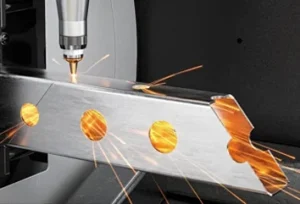
For most flat 2D laser cutting jobs, send a clean DXF file. Send a STEP file when the part has 3D shape, bending, assembly relationships or needs engineering review. Send a PDF drawing as a reference for dimensions, notes, tolerance, material and finishing requirements. PDF is useful for human review, but it is usually not enough for direct production.
Choosing the right file format is one of the easiest ways to get a faster and more accurate laser cutting quote. If the supplier receives the wrong file, the quote may be delayed. If the file is not production-ready, the supplier may need to ask for a new file before cutting can start.
For most 2D laser cutting projects, DXF is the preferred file format. For 3D parts, bent sheet metal parts or assembly review, STEP is usually more useful. IGES can be used for older 3D surface data, but it is not usually the first choice for modern laser cutting projects.
PDF, AI and SVG files can also be useful, but they are not always enough for production. A PDF may help with quotation and dimensions. AI and SVG may work for signage, engraving and non-metal cutting, but they must be clean vector files with the correct scale.
This guide explains the difference between STEP, IGES, DXF, DWG, PDF, AI and SVG, and which file format you should send for laser cutting in Singapore.
Key Takeaways
- DXF is usually the best file format for 2D laser cutting.
- DWG is useful for AutoCAD-based engineering drawings, but DXF is often easier for production.
- STEP is useful for 3D parts, bending review and assembly checking.
- IGES is an older 3D surface format and is usually not the first choice if STEP is available.
- PDF is good for quotation reference, but it is usually not enough for production.
- AI and SVG may work for signs, engraving, graphics and non-metal cutting.
- A good RFQ should include the production file, a reference PDF, material, thickness, quantity and finishing requirements.
Why File Format Matters for Laser Cutting Quotes
A laser cutting file is not just a drawing. It is also a set of instructions that the supplier may use to prepare the cutting path. If the file is unclear, the supplier may not know what to cut, what to engrave, what material to use or which dimensions are critical.
A poor file can cause quotation delays, extra emails, wrong scale, missing cut lines, duplicate paths, open contours, wrong material assumptions, wrong revision use and higher rework risk.
Laser cutting suppliers usually need two types of information
| Information Type | Purpose |
|---|---|
| Production file | Tells the machine what geometry to cut |
| Reference drawing | Tells the engineer what the part should mean |
A clean production file helps the supplier quote and cut faster. A clear reference drawing helps the supplier understand material, thickness, tolerance, finishing and notes. For a deeper guide on file cleanup, see Lumen Future’s guide on how to prepare CAD files for laser cutting.
Best File Format for Laser Cutting: Quick Comparison Table
Different file formats are useful for different jobs. The best file depends on whether the project is 2D cutting, 3D review, bending, engraving, signage or quotation only.
| File Format | Best For | Production Ready? | Notes |
|---|---|---|---|
| DXF | 2D laser cutting | Yes, if clean | Best format for flat sheet cutting |
| DWG | 2D engineering drawing | Usually yes | Useful for AutoCAD-based drawings |
| STEP | 3D part, assembly, bending review | Not always for direct 2D cutting | Best for 3D review and sheet metal parts with bends |
| IGES | Older 3D surface data | Not ideal for direct cutting | Useful when working with older CAD surface files |
| Quotation reference | Usually no | Good for dimensions and notes, but not enough for production | |
| AI | Signage, graphics, engraving | Sometimes | Must be vector, scaled correctly and text outlined |
| SVG | Non-metal cutting, signage, engraving | Sometimes | Useful for design files, but must be checked |
For most flat sheet laser cutting projects, send a clean DXF file first. If the part has bending, 3D geometry or assembly requirements, send a STEP file together with the DXF and a PDF drawing.
DXF: Best for 2D Laser Cutting
DXF is usually the best file format for 2D laser cutting. It stores vector geometry that laser cutting software can read and convert into toolpaths.
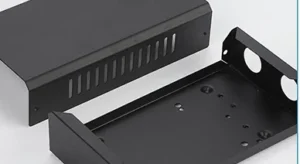
DXF is commonly used for sheet metal cutting, stainless steel panels, aluminum parts, acrylic cutting, flat brackets, plates, covers, holes, slots, custom profiles, signage and prototype parts.
When to Send DXF
Send DXF when your part is a flat 2D profile. This includes most laser cut sheet metal, acrylic, plastic, rubber, wood and flat industrial parts.
- Outer shapes
- Inner holes
- Slots
- Flat patterns
- Simple outlines
- Repeated parts from sheet material
Common DXF Problems
A DXF file may still cause delays if it is not clean. Common problems include wrong scale, wrong units, open contours, duplicate lines, overlapping geometry, text not converted to outlines, dimensions included as cut paths, construction lines in the cut layer and multiple part versions without clear labels.
DWG: Useful for 2D Engineering Drawings
DWG is the native file format used by AutoCAD. It can store accurate 2D drawings, layers, dimensions and notes. DWG can be useful when the supplier works with AutoCAD-based drawings.
However, DXF is often easier to exchange between different laser cutting and CAM systems.
DWG is useful for engineering drawings, AutoCAD-based designs, dimensioned part drawings, layered 2D geometry and supplier review.
Recommended workflow
Send DWG if you have it, but also export a clean DXF for laser cutting and a PDF for checking dimensions and notes.
STEP: Best for 3D Parts, Bending and Assembly Review
STEP is a 3D CAD file format. It is useful when the part has 3D geometry, bends, formed shapes or assembly relationships.
STEP is not usually the first choice for simple 2D laser cutting. But it is very useful when the supplier needs to understand how the part works in 3D.
STEP is useful for bent sheet metal parts, 3D brackets, formed components, assembly parts, thickness review, hole alignment review, engineering prototypes and parts that must fit with other components.
When to Send STEP
Send STEP when the part is not just a flat plate, has bends, must fit into an assembly, needs geometry checking or has critical hole alignment.
For example, if you need a laser cut bracket that will be bent after cutting, STEP helps show the final bracket shape. DXF helps show the flat cutting profile. PDF helps show tolerance and notes.
For bending-related projects, see Lumen Future’s guide to CNC bending tolerance, K-factor and springback.
IGES: Older 3D Surface Format
IGES is an older 3D CAD exchange format. It is often used for surface data from older CAD systems.
IGES can be useful for older 3D files, surface models, legacy CAD data, design reference and engineering review. However, IGES is not usually the best format for direct 2D laser cutting.
If you can choose between STEP and IGES, send STEP first for most modern engineering review workflows. IGES may still be accepted as a reference file, but the supplier may ask for a DXF flat pattern or STEP file before production.
PDF: Useful for Quotation Reference, Not Enough for Production
PDF is useful for quotation reference, dimensions and notes. It is easy to open and easy for people to review. But PDF is usually not enough for direct laser cutting production.
A PDF may include dimensions, material, thickness, tolerance, finishing notes, quantity, revision number, assembly notes and visual reference.
However, a PDF may not include clean vector geometry. It may also be a scanned image, screenshot or exported drawing with scale problems.
PDF is useful when
- You want to explain the part.
- You need to show dimensions.
- You need to show tolerance.
- You want to include material notes.
- You need a human-readable reference.
PDF is not ideal when
- It is only a screenshot.
- It is a scanned drawing.
- It has no scale.
- It contains only raster image data.
- The supplier needs production-ready geometry.
A good RFQ often includes both a production file and a reference PDF. The production file tells the machine what to cut. The PDF tells the engineer what the part should mean.
AI and SVG: Useful for Signage, Engraving and Non-Metal Cutting
AI and SVG files are common in design, signage and engraving projects. They are often used by designers, marketers, sign makers and product teams.
AI and SVG may be useful for acrylic signs, logo cutting, engraving, marking, decorative panels, non-metal cutting, corporate gifts, graphic patterns and product labels.
A good AI or SVG file should have vector paths, correct scale, outlined text, clear cut and engrave layers, clean curves and no hidden objects. It should not use an embedded raster image as the main cut path.
For engraving-related work, see the guide to laser engraving on metal vs non-metal materials.
STEP vs DXF: Which One Should You Send?
STEP and DXF are not direct competitors for the same job. They are used for different purposes.
DXF is usually for 2D flat cutting. STEP is usually for 3D review, bending, assembly and geometry checking.
| Question | Better Format |
|---|---|
| I need flat sheet laser cutting | DXF |
| I need acrylic or metal profile cutting | DXF |
| I have a bent bracket | STEP + DXF |
| I need assembly review | STEP |
| I need the supplier to understand 3D geometry | STEP |
| I only need quotation reference | PDF + DXF or STEP |
| I have a logo or sign design | AI, SVG or DXF |
| I have a sheet metal part with bends | STEP + DXF flat pattern + PDF |
For simple flat parts, send DXF. For bent or assembled parts, send STEP and DXF together.
What to Send for Different Laser Cutting Projects
Different projects need different file combinations. Sending the right combination can reduce quotation time.
| Project Type | Recommended Files |
|---|---|
| Simple sheet metal cutting | DXF + PDF |
| Sheet metal part with bending | STEP + DXF flat pattern + PDF |
| Acrylic signage | AI / SVG / DXF + PDF visual reference |
| Laser engraving | AI / SVG / DXF + marking instructions |
| Ceramic or glass substrate | DXF + PDF + material and thickness notes |
| Prototype engineering part | STEP + DXF + PDF |
| Repeat production order | Approved DXF + drawing revision number |
| Quotation only | PDF may help, but production file will still be needed |
If you are not sure what to send, start with DXF for 2D cutting, STEP for 3D review and PDF for dimensions and notes. This combination usually gives the supplier enough information to start reviewing the project.
Common File Format Mistakes That Delay Quotes
Many laser cutting quote delays are caused by file format problems. These issues are easy to avoid if you prepare the file before sending.
- Sending only a PDF without DXF or STEP.
- Sending JPG or PNG screenshots as production files.
- Sending a DXF that is not 1:1 scale.
- Mixing inches and millimetres.
- Leaving duplicate lines in the DXF.
- Including title blocks and dimensions in the cut layer.
- Sending a STEP file without a flat pattern for sheet metal cutting.
- Sending AI or SVG files with text not converted to outlines.
- Sending several versions without a revision number.
- Forgetting to include material, thickness and quantity.
These mistakes can create extra emails before quotation. In urgent Singapore projects, even one missing file can delay the schedule.
What Buyers Should Send With the File
The file format is important, but it is not the only thing the supplier needs. A good quotation request should include both files and project information.
| Information | Why It Matters |
|---|---|
| Material | Different materials need different processes |
| Thickness | Affects cutting speed, cost and edge quality |
| Quantity | Affects setup and unit price |
| File format | Helps quotation and production review |
| Revision number | Avoids using the wrong version |
| Critical tolerance | Shows which dimensions matter most |
| Finishing requirement | Deburring, polishing, engraving or coating |
| Application | Helps supplier understand the function |
| Delivery target | Helps plan production schedule |
Example RFQ Information
Material: Stainless steel 304
Thickness: 1.5 mm
Quantity: 50 pcs
Files: DXF for cutting, PDF for dimensions
Tolerance: Standard unless marked critical
Finish: Deburr sharp edges
Application: Bracket for equipment assembly
Delivery: Required in Singapore within 7 working days if feasible
Revision: Rev B
This type of request gives the supplier the information needed to review the job faster. For quotation review, see the guide on how to read a laser cutting quotation.
Singapore Buyer Notes: Faster RFQ Review
For Singapore buyers, sending the correct file format can reduce quotation time. Local laser cutting suppliers often need to review material, thickness, drawing quality, tolerance, finishing and delivery schedule before confirming price.
This is especially important for engineering prototypes, sheet metal parts, acrylic signage, corporate gifts, electronics parts, automation fixtures, R&D samples, small-batch production and urgent replacement parts.
If you need a fast quote in Singapore, send:
- A clean DXF for 2D cutting
- A STEP file for 3D review if needed
- A PDF drawing for human reference
- Material and thickness
- Quantity
- Finishing requirement
- Delivery target
For general project planning, see Lumen Future’s guide to laser cutting services in Singapore.
Practical Pre-Submission Checklist
Use this checklist before sending your file for laser cutting quotation.
| Check Item | What to Confirm |
|---|---|
| Correct file type | DXF for 2D, STEP for 3D review, PDF for reference |
| Correct scale | File is drawn at 1:1 scale |
| Correct units | Millimetres or inches are clearly stated |
| Clean geometry | No duplicate lines, open contours or hidden paths |
| Material | Material type is clearly stated |
| Thickness | Sheet thickness is clearly stated |
| Quantity | Required number of parts is included |
| Revision | Latest version is clearly marked |
| Finish | Deburring, polishing, engraving or coating is stated |
| Delivery | Target date is included if urgent |
A clean file and complete RFQ can help the supplier respond faster and reduce avoidable delays.
FAQ
What is the best file format for laser cutting?
For most 2D laser cutting projects, DXF is the best production file format. It is widely used for flat sheet cutting and can be read by many laser cutting systems.
Is DXF better than STEP for laser cutting?
DXF is better for flat 2D laser cutting. STEP is better for 3D review, bending and assembly checking. For bent sheet metal parts, it is often useful to send both STEP and DXF.
When should I send a STEP file?
Send a STEP file when the part has 3D geometry, bends, assembly relationships or needs engineering review. STEP helps the supplier understand the final shape of the part.
Can I send an IGES file for laser cutting?
You can send IGES as a reference if it is the file you have, but it is usually not the best file for direct laser cutting. If possible, send STEP for 3D review and DXF for 2D cutting.
Is PDF enough for laser cutting production?
Usually no. PDF is useful for quotation reference, dimensions and notes, but it is usually not enough for direct production. A clean DXF, DWG, AI, SVG or STEP file may still be needed depending on the project.
Can AI or SVG be used for laser cutting?
AI and SVG can be used for some signage, engraving and non-metal cutting projects if they are clean vector files. The file should have correct scale, outlined text and clear cut or engrave layers.
What file format should I send for sheet metal bending?
For sheet metal parts with bending, send STEP for 3D review, DXF flat pattern for cutting and PDF for dimensions and notes.
What file format should I send for laser engraving?
For laser engraving, AI, SVG, DXF or vector PDF files may be useful. The correct file depends on the material, artwork and whether the project needs cutting, engraving or marking.
Can I get a quote with only a PDF?
You may be able to get a rough quote with a clear PDF, but production usually needs a proper vector or CAD file. A PDF alone may not be enough if the supplier needs accurate cutting paths.
What should I include with my laser cutting file?
Include material, thickness, quantity, tolerance, finishing requirement, application, delivery target and revision number. A reference PDF is also useful even when you send a production-ready DXF or STEP file.
Related Guides
- How to Prepare CAD Files for Laser Cutting
- Laser Cutting Services in Singapore: The Complete Buyer’s Guide
- How to Read a Laser Cutting Quotation
- How Much Does Laser Cutting Cost in Singapore?
- CNC Bending Tolerance Guide
- Laser Engraving on Metal vs Non-Metal Materials
- Polishing & Deburring After Laser Cutting
Conclusion
The best file format depends on what you want the supplier to do. For most flat 2D laser cutting projects, DXF is the best starting point. For 3D parts, bent sheet metal parts and assembly review, STEP is very useful. IGES can help with older 3D data, but it is usually not the first choice. PDF is useful for quotation reference, but it is usually not enough for production. AI and SVG can work for signage, engraving and non-metal cutting if they are clean vector files.
If you want a faster laser cutting quote in Singapore, send a clean DXF for cutting, a STEP file when 3D review is needed, and a PDF drawing for dimensions and notes. Also include material, thickness, quantity, tolerance, finishing requirement and delivery target.
Need help reviewing your laser cutting files?
Send your DXF, STEP, IGES, PDF, AI or SVG files to Lumen Future. Our team can review the drawing and advise which file is suitable for quotation, production or engineering review.
- 2D laser cutting file review
- STEP and DXF checking for sheet metal parts
- Quotation support for Singapore projects
- Advice on production-ready file preparation