Laser is the best way to cut acrylic because it produces a flame-polished edge — glossy and transparent straight off the machine, with no sanding needed. But quality depends on three things: the acrylic type (cast vs extruded), the thickness, and the laser settings. Realistic tolerance is around ±0.1–0.5 mm depending on whether polishing is involved. The most common mistakes are using PVC instead of acrylic (toxic and damaging), ignoring kerf compensation (parts come out slightly small), and not separating cut and engrave layers in the file.
You collect your laser-cut acrylic order, and something’s off. The edges look cloudy instead of glossy. There are tiny cracks near the corners. And when you measure, the parts are about 1 mm smaller than your drawing. The frustrating part? Every one of these problems is avoidable.
This guide explains how to judge acrylic laser cutting quality, what tolerances are actually realistic, and the seven mistakes that trip up first-time buyers in Singapore. Whether you’re an SME making retail signage, a designer prototyping a product, a maker working on a project, or a procurement officer ordering display stands, knowing what “good” looks like helps you get it right the first time.
For laser cutting basics across all materials, our complete laser cutting buyer’s guide is a useful primer, and our guide to laser cutting costs in Singapore covers pricing.
Why Laser Is the Best Way to Cut Acrylic
Acrylic (chemically known as PMMA, and sold under brand names like Perspex and Plexiglass) is almost the ideal laser cutting material. Here’s why laser beats mechanical methods like sawing or routing:
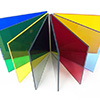
Beyond the edge quality, laser cutting acrylic offers:
- No mechanical stress — A light beam doesn’t push or grab the material, so thin and delicate parts don’t crack or chip during cutting.
- Complex shapes for free — Intricate curves, fine text, small internal cutouts — all cut as easily as a straight line.
- No tooling cost — Unlike die cutting, there’s no custom tool to make, so even a single piece is economical to produce.
This is actually the opposite of cutting metal, where laser edges often need deburring. With acrylic, the laser edge is usually the best part of the finish.
Cast vs Extruded Acrylic: The Choice That Affects Everything
Most buyers don’t realise there are two kinds of acrylic, and the difference dramatically affects your results. Choosing the wrong one is one of the most common reasons an order disappoints.
| Property | Cast Acrylic | Extruded Acrylic |
|---|---|---|
| How it’s made | Poured into moulds and cured | Pushed through rollers continuously |
| Price | Higher | Lower |
| Thickness consistency | Slight variation | Very uniform |
| Laser-cut edge | Glossy, slightly frosty | Extremely clear and glossy |
| Laser engraving | Engraved areas turn frosty white — great contrast | Engraving barely shows — poor contrast |
| Best for | Engraving, signage with frosted detail, thicker parts | Cutting, thin parts, ultra-clear displays |
The practical rule: If your design involves engraving (frosted logos, text, patterns), choose cast acrylic — the engraved areas turn a clean frosty white that stands out beautifully. If you want the clearest possible cut edge with no engraving, extruded works well and costs less. Tell your supplier what you’re making, and they’ll recommend the right one. Browsing our full materials list shows the range available.
Understanding Edge Quality: What “Good” Looks Like
“Edge quality” is the single best indicator of whether your acrylic was cut well. Here’s how to tell good from bad:
What to look for
Transparent and glossy (flame-polished), perfectly vertical, no visible cracks, no yellowing or burn marks, consistent along the whole length.
Warning signs
Cloudy or frosted edge, tiny spider-web cracks (crazing), brown scorch marks, angled/tapered edge, or uneven gloss from inconsistent speed.
What controls edge quality? Four factors, all of which a skilled operator manages:
- Laser power and speed — Too slow or too powerful burns the edge brown; too fast leaves it rough or fails to cut through.
- Focus — The laser must be focused correctly for the thickness, or the edge angles inward (taper).
- Material type — Cast and extruded behave differently, as covered above.
- Air assist — Proper airflow clears debris and prevents flare-ups that scorch the edge.
If you receive cloudy or cracked edges, it’s almost always a settings or material issue — not an inherent limitation of laser cutting.
The Tolerance Reality: ±0.1 mm or ±1 mm?
You’ll see suppliers quote very different tolerances for acrylic — some say ±0.1 mm, others ±1 mm. Both can be correct, because they’re often measuring different things.
Here’s why the numbers vary so much:
What to expect by process
The key insight: polishing removes material, so it widens tolerance. If you need tight dimensional accuracy (for parts that fit together, for example), ask for “laser cut only” and accept the flame-polished laser edge as-is. If you need a perfectly clear polished edge for display, expect looser tolerance. You usually can’t have both maximum precision and maximum polish.
Kerf & Why Your Parts Come Out Slightly Small
This is the technical detail behind one of the most common complaints: “my parts came out smaller than my drawing.”
For most signage and decorative work, kerf is too small to matter. But for precision parts — especially ones that need to fit together, like interlocking pieces or press-fit slots — it matters a lot. A 0.2 mm kerf means a slot cut to exactly 5 mm will actually measure around 5.2 mm, and a tab cut to 5 mm will measure around 4.8 mm. They won’t fit as designed.
The solution is kerf compensation: a good supplier adjusts the cutting path slightly to account for the beam width, so your finished parts match the intended dimensions. When ordering precision or interlocking parts, ask your supplier whether they apply kerf compensation — it’s the difference between parts that snap together perfectly and parts that are frustratingly loose or tight.
7 Common Mistakes in Acrylic Laser Cutting
These are the mistakes we see most often. Avoiding them saves money, time, and reorders.
Using PVC instead of acrylic
PVC looks similar to acrylic but releases toxic chlorine gas when laser cut — dangerous to operators and corrosive to the machine. Reputable suppliers refuse to laser cut PVC. Always confirm your material is genuine acrylic (PMMA), not PVC.
Not choosing between cast and extruded
Ordering “acrylic” without specifying type means you might get extruded acrylic for an engraving job — and your engraved logo will barely show. Specify based on whether you’re engraving (cast) or just cutting (either).
Mixing cut and engrave lines in the file
If cutting lines and engraving areas aren’t separated into different layers or colours, the laser can’t tell them apart. Always separate them — it’s a five-minute fix in your design software that prevents a ruined part.
Ignoring kerf compensation on precision parts
For interlocking or press-fit designs, forgetting kerf compensation means parts won’t fit. Flag precision requirements upfront so the supplier compensates the cutting path.
Expecting ultra-tight tolerance on thick parts
Thick acrylic (over 10 mm) naturally develops a slight edge taper because the laser beam narrows as it goes deeper. Demanding ±0.05 mm on a 15 mm part isn’t realistic with laser cutting — use a different process if you truly need it.
Picking the wrong acrylic colour or finish
Some coloured and mirrored acrylics cut and engrave differently. Mirror acrylic, for instance, may need to be cut face-down to protect the reflective coating. Discuss colour and finish with your supplier before finalising.
Ignoring stress cracking (crazing)
Acrylic with internal stress — or parts cleaned with the wrong solvents — can develop fine cracks days after cutting, especially around tight corners. Using quality acrylic, adding small fillet radii to sharp internal corners, and avoiding aggressive solvents all help prevent this.
What Acrylic Thicknesses Can Be Laser Cut?
Laser cutting handles a wide range of acrylic thicknesses, each suited to different uses:
| Thickness | Typical Use | Cutting Note |
|---|---|---|
| 2–3 mm | Signage, tags, thin displays, keychains | Fast, clean, easy |
| 4–5 mm | Display stands, name plates, boxes | The standard “workhorse” range |
| 6–8 mm | Thicker signage, structural pieces, awards | Slight edge taper possible |
| 10–20 mm | Blocks, trophies, premium displays | Slower cutting, noticeable taper |
| > 20 mm | Special thick applications | May need multiple passes |
Common in-stock thicknesses in Singapore are 2, 3, 4, 5, 6, 8, and 10 mm. Non-standard thicknesses may need to be ordered in, adding lead time. If your design is flexible on thickness, sticking to standard sizes keeps cost and turnaround low.
Acrylic Laser Cutting Applications in Singapore
Acrylic laser cutting supports a huge range of projects across Singapore:
- Retail signage & logos — Shop signs, logo cutouts, directional signage, often combined with LED backlighting or standoff mounting.
- Display stands & cases — Product displays, collectible cases, jewellery and watch stands, food display covers for F&B.
- Corporate gifts & awards — Engraved acrylic awards, plaques, and trophies — a natural pairing with laser engraving for personalised detail.
- Architectural models & prototypes — Scale models, design mockups, and product prototypes where clean transparent parts matter.
- Events & decor — Wedding signage, place cards, table numbers, photo props, and custom event branding.
Many of these combine cutting with engraving in one job, which is why working with a supplier who does both — see our non-metal cutting service — keeps the project simple and consistent.
Preparing Your File for Acrylic Laser Cutting
A clean file gets you a fast, accurate quote and a part that comes out right. Here’s what suppliers need:
| Requirement | Detail |
|---|---|
| File format | Vector files: DXF, AI, SVG, or EPS. Avoid JPG/PNG (raster) for cut lines. |
| Separate cut & engrave | Put cutting lines and engraving areas on different layers or use different colours. |
| Line weight | Set cut lines to hairline / 0.001 pt stroke so the laser reads them as cut paths. |
| Closed paths | Cut outlines must be closed loops, not open-ended lines. |
| Text to curves | Convert all text to outlines/curves so fonts don’t shift on the supplier’s machine. |
| Specify material | Acrylic type (cast/extruded), thickness, colour, quantity. |
For a complete file-prep walkthrough, see our CAD file checklist for accurate quotes. Getting the file right is the difference between a same-day quote and a back-and-forth email thread.
Frequently Asked Questions
Can you laser cut clear acrylic without burning the edges?
Yes. With correct power, speed, and air assist settings, clear acrylic cuts with a transparent, glossy flame-polished edge and no burning. Brown scorch marks indicate the laser was too slow or too powerful for that thickness — a settings problem, not a limitation of the material.
What’s the difference between cast and extruded acrylic?
Cast acrylic is poured into moulds and engraves with a clean frosty-white contrast, making it ideal for engraved signage and awards. Extruded acrylic is made continuously through rollers, costs less, has very uniform thickness, and gives an extremely clear cut edge — but engraves with poor contrast. Choose cast for engraving, extruded for clean cutting.
Why does my laser-cut acrylic crack after a few days?
This is called crazing — fine stress cracks that appear over time. Common causes are internal stress in low-quality acrylic, sharp internal corners that concentrate stress, and cleaning with aggressive solvents like alcohol or window cleaner. Use quality acrylic, add small rounded fillets to internal corners, and clean only with mild soap and water.
Can you laser cut mirror or coloured acrylic?
Yes. Coloured and fluorescent acrylics cut well. Mirror acrylic needs care — it’s often cut face-down to protect the reflective backing from the laser. Some colours engrave with better contrast than others, so discuss your specific colour and finish with the supplier beforehand.
What file format do I need for acrylic laser cutting?
Vector formats: DXF, AI, SVG, or EPS. Cut lines should be hairline weight, paths should be closed, and text converted to curves. Keep cut lines and engraving areas on separate layers or colours. Raster images (JPG, PNG) can sometimes be converted but give less reliable results.
What’s the maximum acrylic thickness you can laser cut?
Most CO₂ laser cutting handles acrylic up to about 20 mm cleanly, with 2–10 mm being the everyday range. Beyond 20 mm, cutting slows considerably and edge taper becomes more noticeable, sometimes requiring multiple passes. For very thick acrylic, discuss the specific application with your supplier.
Get an Acrylic Cutting Quote in 24 Hours
Three takeaways from this guide:
- Choose cast for engraving, extruded for clear cuts — the acrylic type matters more than most buyers realise.
- Tolerance depends on polishing — laser-cut-only is most precise; polishing widens tolerance.
- Send a clean vector file — separate layers for cut and engrave, hairline cut lines, text converted to curves.